Activate connected services
Three minutes – and possibly free for ten years.
Your manufacturer account is missing an option: connected services. Without it, Stellantis doesn't send us your battery level or whether the car is plugged in – hence the empty screen, and why charging can't be stopped at 80% or moved to off-peak hours.
Depending on the country and the age of your car, this option may be paid for; on the Romanian market it is included for ten years. All it takes is switching the country in your manufacturer app (MyPeugeot, MyCitroën, MyVauxhall, MyOpel or MyDS), with the same account, the same car and the same login details. The twelve steps below all happen in that app.
Worth knowing: we have checked this on French accounts. We don't yet know for certain whether it works the same way for an account opened in the UK or Ireland. It's worth trying; if at step 12 the service shows a price instead of activating for free, stop there and email us – we'll look into it with you.
Before you start: have your manufacturer app password to hand. Step 2 signs you out, and step 6 asks for it again.
Afterwards your manufacturer app will stay in Romanian: this has no effect on the car, and you won't need to go back into it. Voltena stays in English.
The screenshots below come from MyPeugeot in French. Up to step 4, your app is in your own language: the labels differ, but the gestures and the position of the buttons should be the same. From step 5 the app is in Romanian for everyone, and the screenshots match your screen. MyCitroën, MyVauxhall, MyOpel and MyDS are the same app under another brand: only the logo and colours change.
-
Open your account
On the home screen, tap the profile silhouette at the top right.
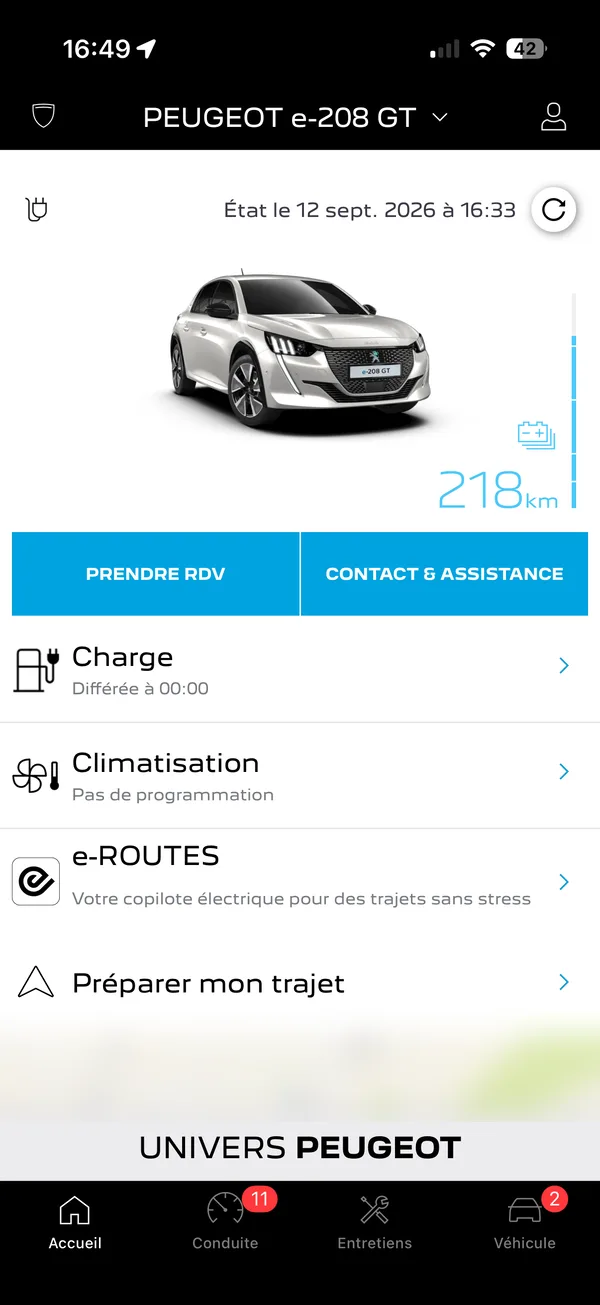
Screenshot in French. Tap the highlighted silhouette icon at the top right.
-
Sign out
At the very bottom of the menu, tap the sign-out option.
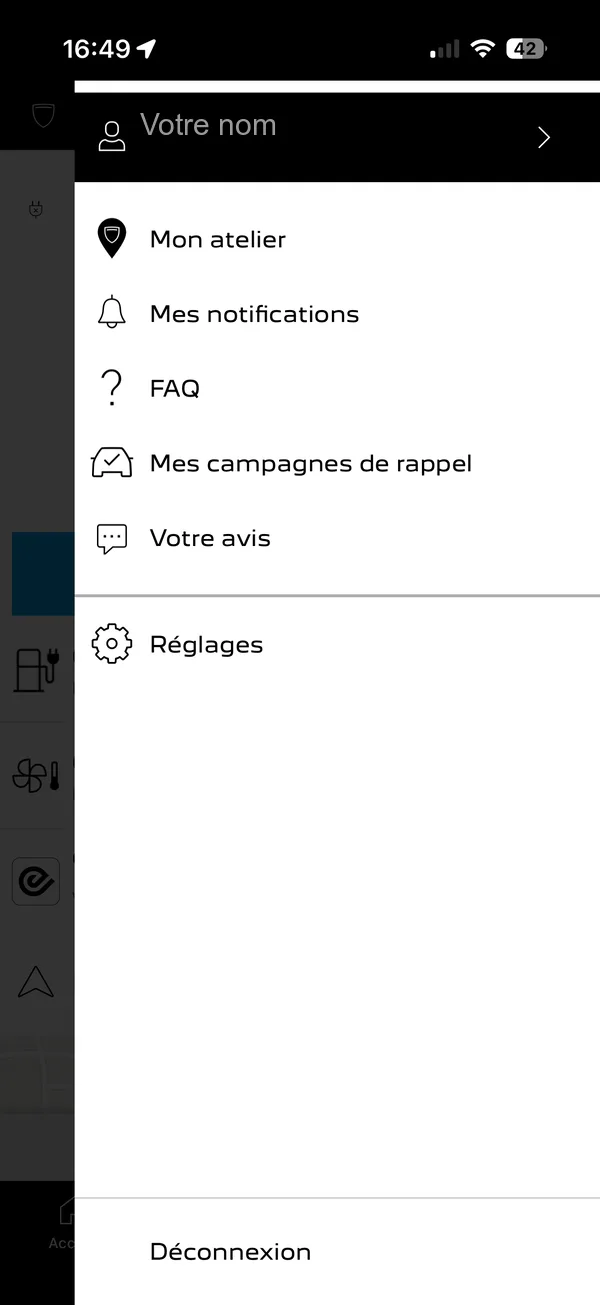
Screenshot in French. The highlighted option at the very bottom is the one to sign out (‘Déconnexion’ in French).
-
Open the country picker
The app returns to its welcome screen. At the bottom, on the line showing your country and language, tap the button on the right.
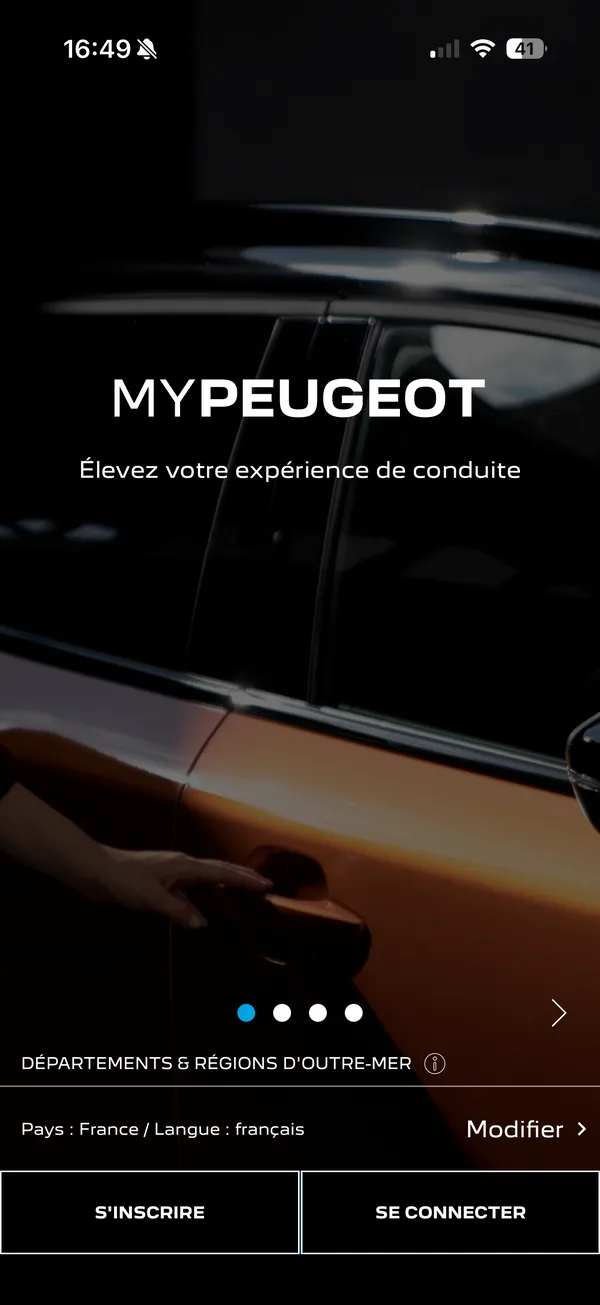
Screenshot in French. At the bottom, the line ‘Pays : France / Langue : français’ shows the country and language; the highlighted button on the right (‘Modifier’) changes them.
-
Choose Romania
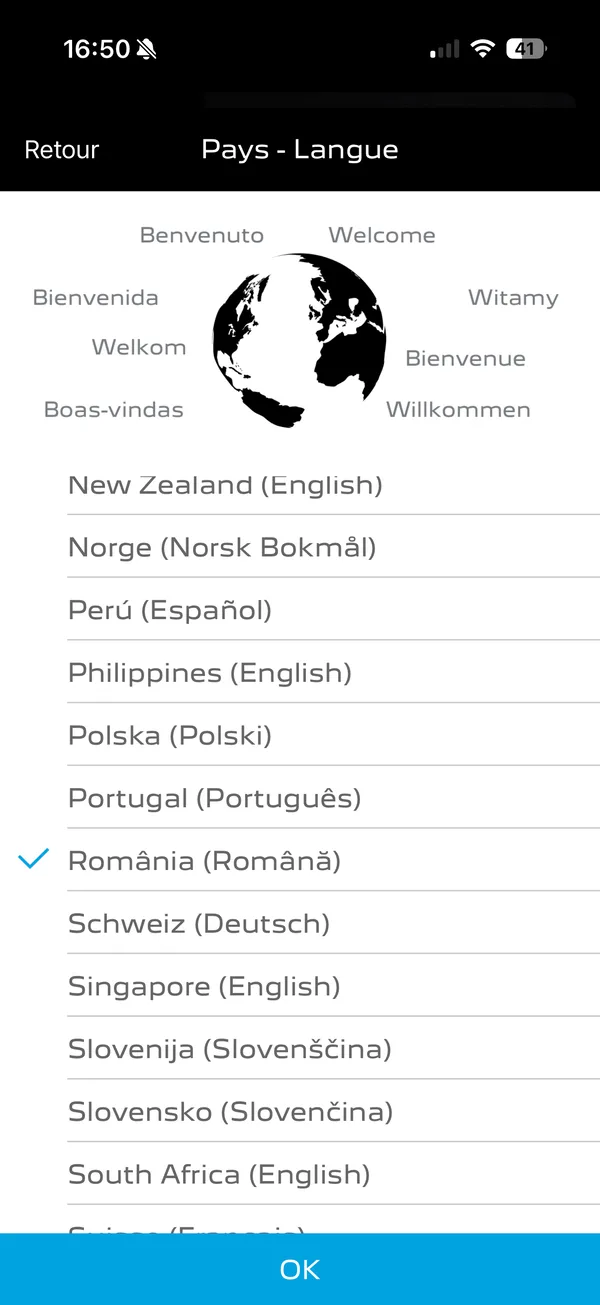
Scroll down to ‘România (Română)’, tap the line, then confirm with ‘OK’. The app switches to Romanian: that's expected, and it's what unlocks the offer.
-
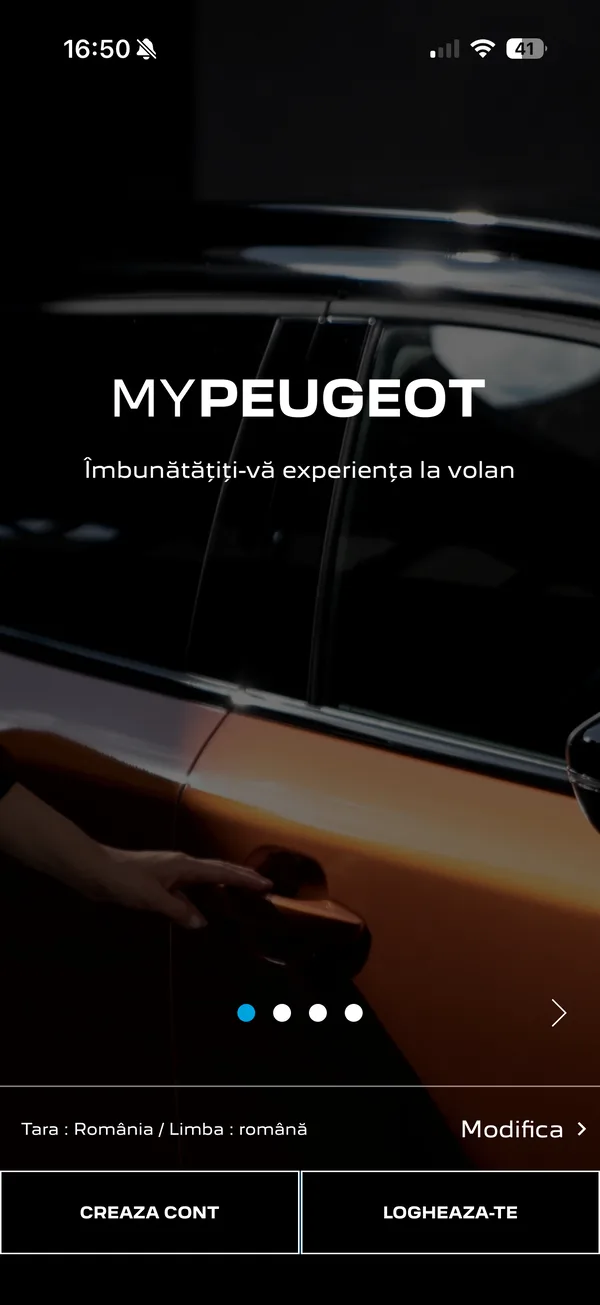
Sign back in
Tap ‘LOGHEAZA-TE’ – that's the ‘Sign in’ button.
-
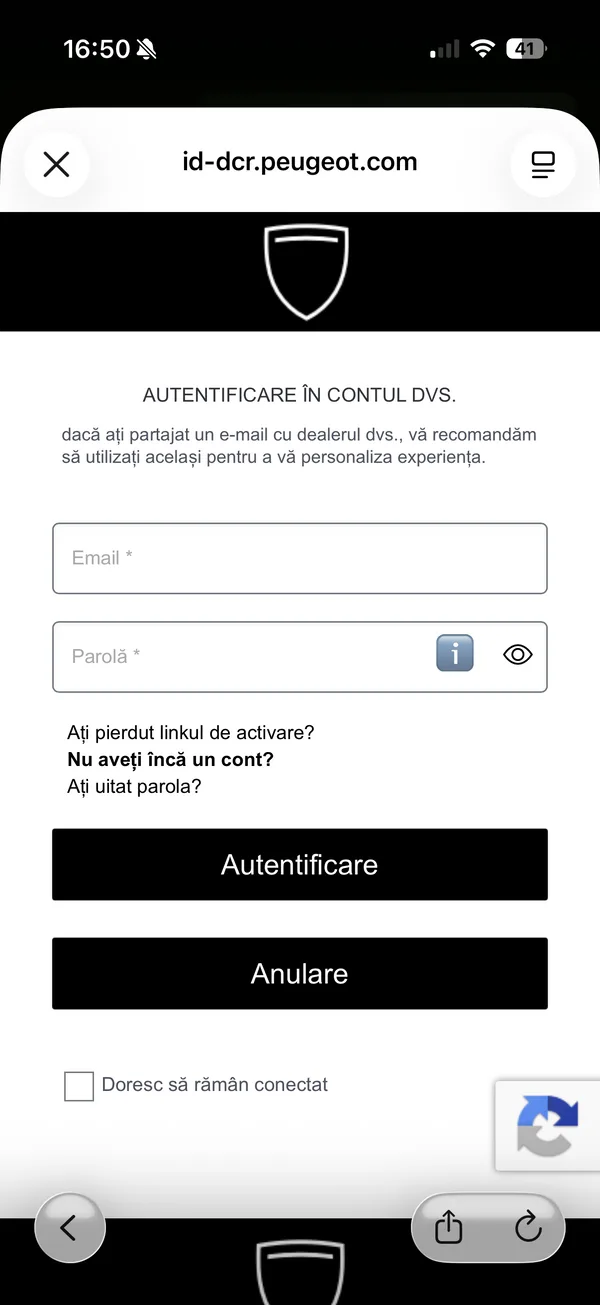
Enter your login details
The usual ones: ‘Email’ and ‘Parolă’ (password), then ‘Autentificare’. Your account doesn't change, only the app's language does.
-
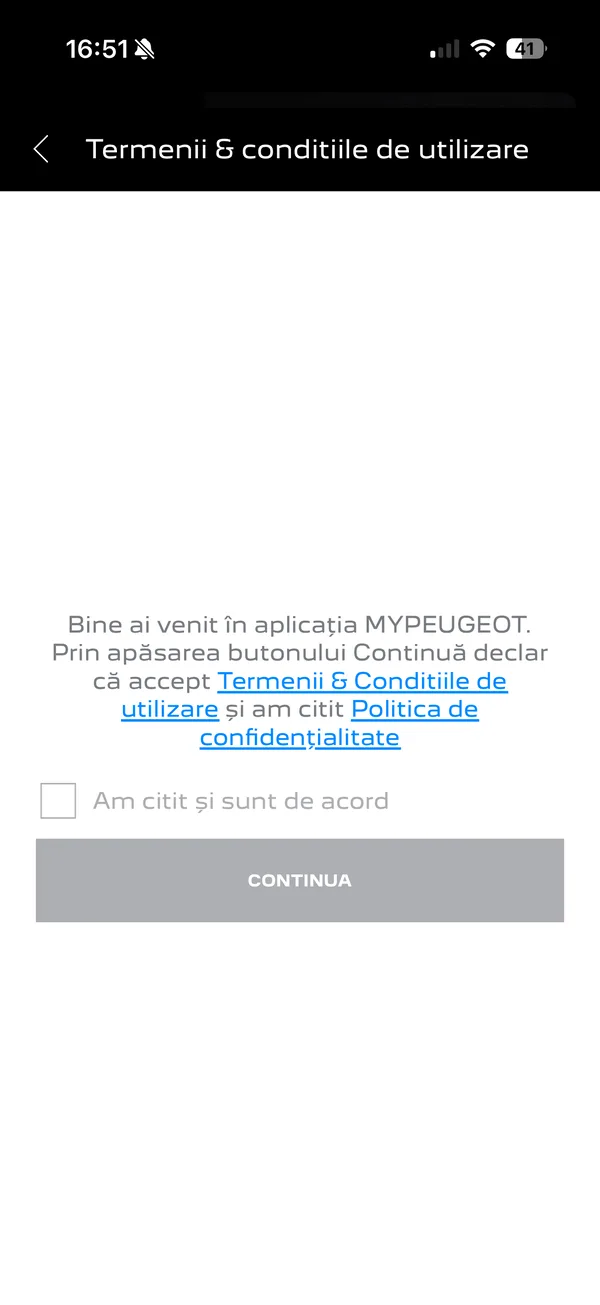
Accept the terms
Tick ‘Am citit și sunt de acord’ (I have read and agree), which enables the button, then tap ‘CONTINUĂ’.
-
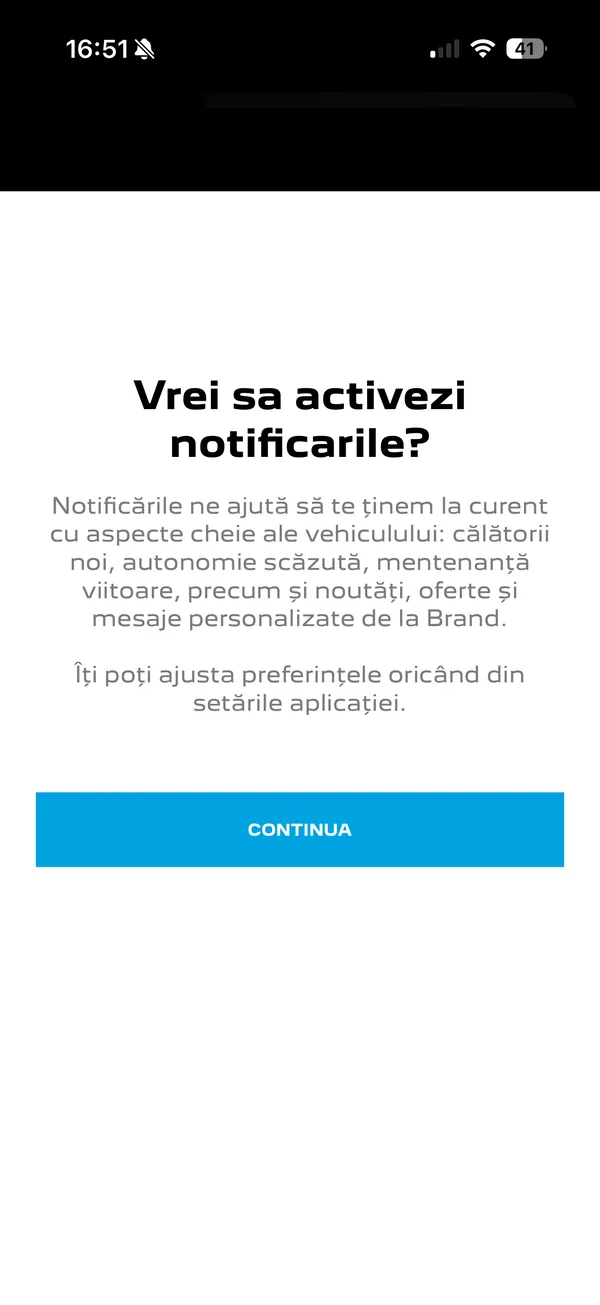
Skip the notifications
Tap ‘CONTINUĂ’. This choice only concerns the manufacturer's app.
-
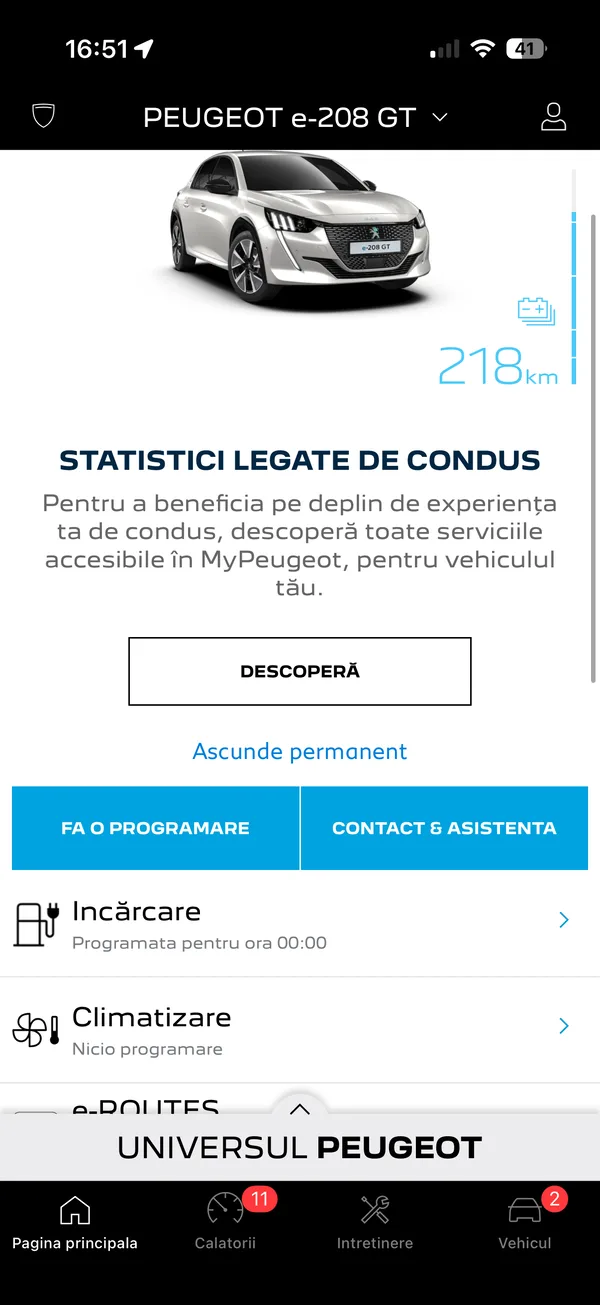
Open the vehicle tab
You're back on the home screen, in Romanian. Tap ‘Vehicul’, the last tab at the bottom right.
-
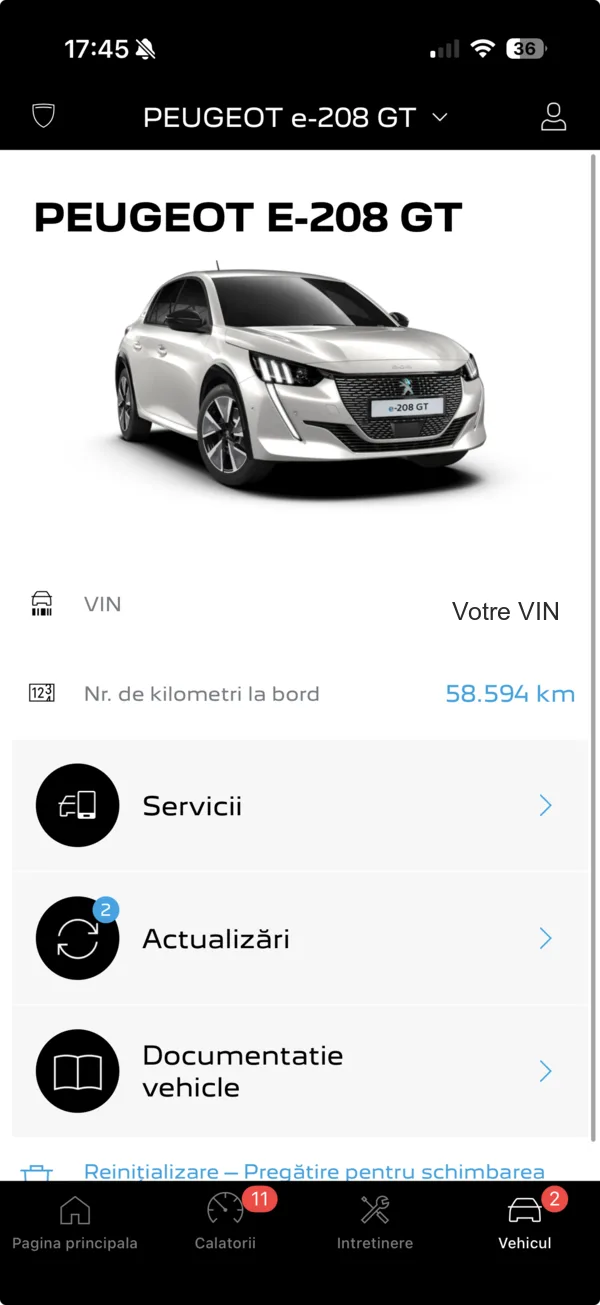
Go into ‘Servicii’
Your car's page appears. Tap the first line, ‘Servicii’ – the services.
-
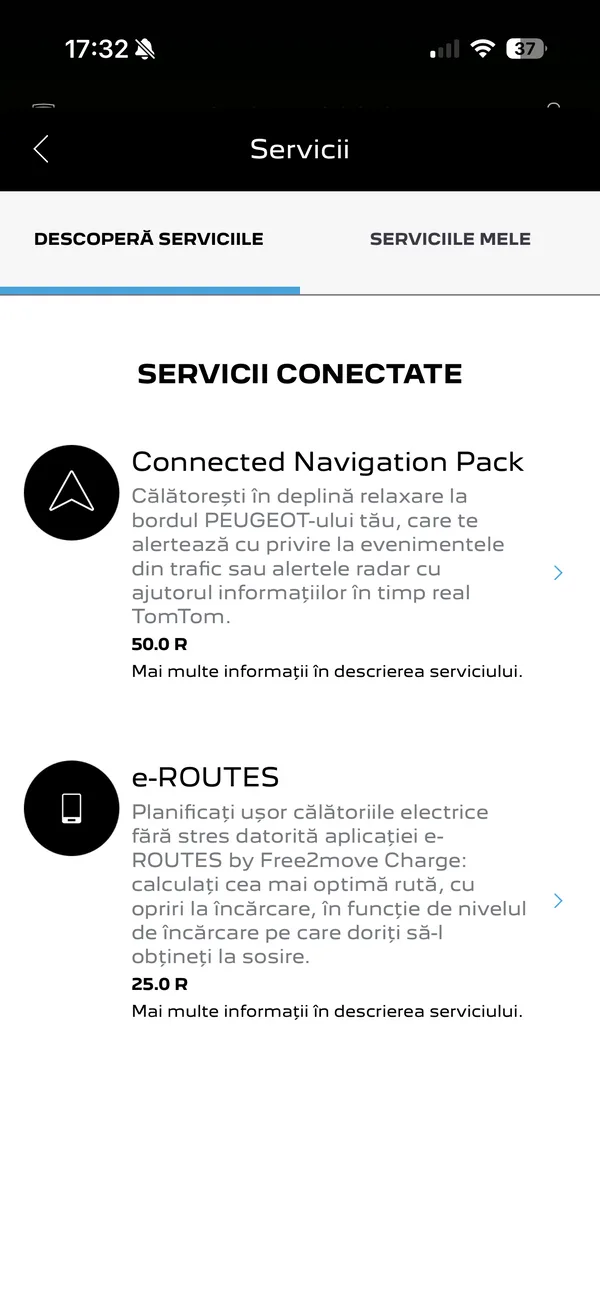
Switch to ‘SERVICIILE MELE’
The page opens on ‘DESCOPERĂ SERVICIILE’, which is the catalogue. Tap the second tab, at the top right: these are your own services.
-
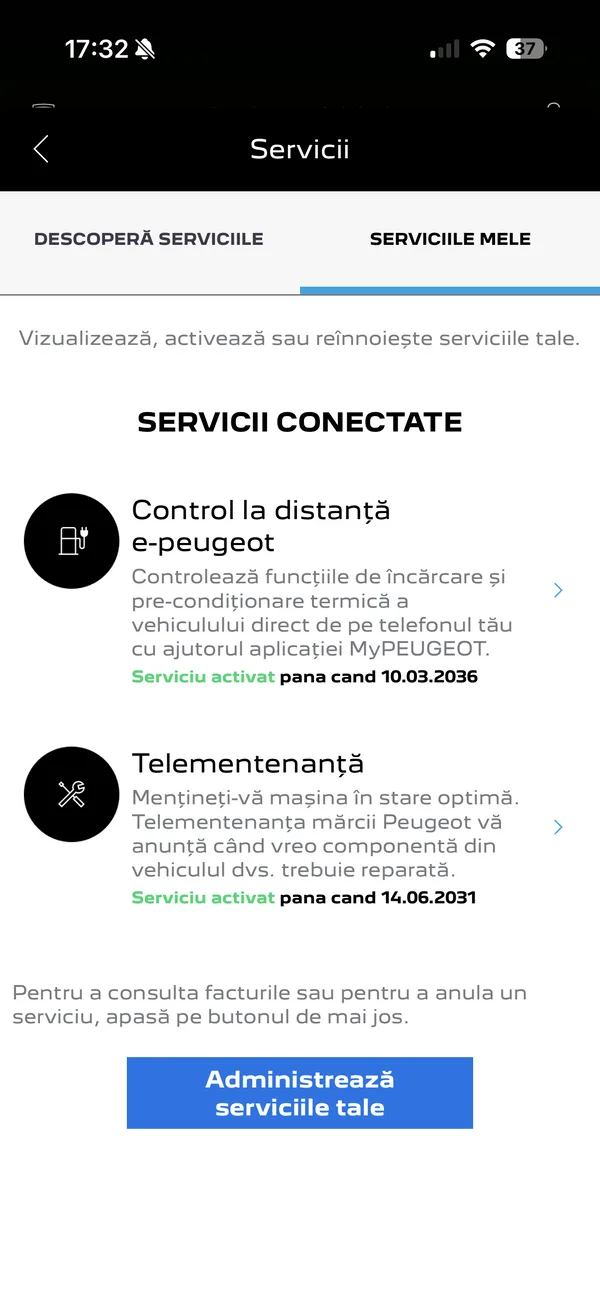
Activate charging control
Open the line that controls charging – here ‘Control la distanță e-peugeot’. Its name varies with the brand, model and year: look for the one whose description mentions ‘încărcare’, charging. Once active, it shows ‘Serviciu activat’ and its end date.
What next?
Nothing more to do on our side: as soon as Stellantis shares the charge level, Voltena picks it up at the next update. Allow fifteen to thirty minutes – that's the delay we saw on the first successful activation. The app then shows everything again, with nothing more for you to do.